
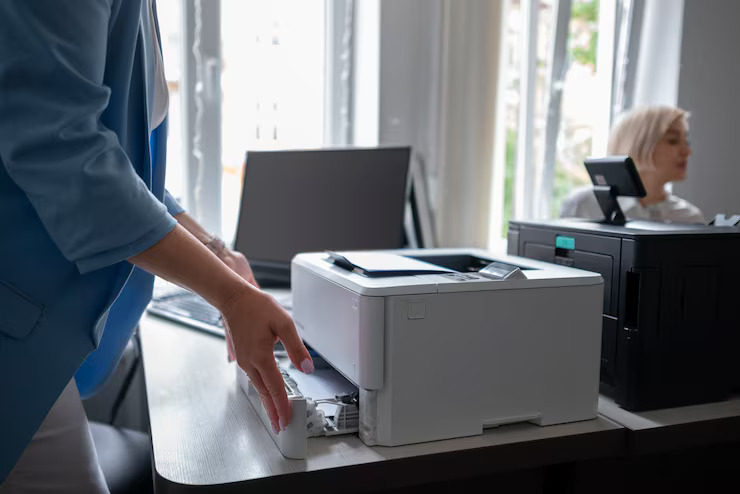
This Office Printer Buying Guide 2025 breaks down the key factors you should consider before making a smart investment.
1. Identify Your Office Printing Requirements
Before comparing brands or specifications, understand how your office will actually use the printer:
- Monthly Print Volume: How many pages do you print regularly?
- Document Type: Mostly text-based files or high-quality graphics and images?
- Required Functions: Printing only, or scanning, copying, and faxing as well?
- Number of Users: A few employees or a full department?
- Space Availability: Compact desktop unit or a high-capacity floor-standing machine?
Pro Tip: Small businesses and startups with light usage benefit from compact all-in-one printers, while high-volume offices should opt for commercial-grade laser printers.
2. Inkjet vs. Laser Printers: Which Is Right for You?
Choosing between inkjet and laser technology is a major decision. Here’s a quick comparison:
| Feature | Inkjet Printers | Laser Printers |
|---|---|---|
| Best Use | Color-rich graphics and photos | High-volume text printing |
| Speed | Moderate | Fast |
| Print Quality | Excellent image quality | Sharp, professional text |
| Cost per Page | Higher | Lower |
| Initial Cost | Budget-friendly | Higher upfront |
| Maintenance | Frequent ink replacement | Less frequent toner changes |
Best Choice:
- Inkjet: Ideal for marketing teams, designers, and creative offices
- Laser: Best for legal firms, corporate offices, and bulk document printing
3. Opt for Multifunction (All-in-One) Printers
Most modern offices prefer multifunction printers (MFPs) that handle printing, scanning, copying, and faxing in one device. This reduces space usage and simplifies daily operations.
Key features to look for:
- Automatic Document Feeder (ADF) for faster scanning
- Duplex Printing to reduce paper costs
- Cloud & Mobile Printing support (Google Drive, OneDrive, AirPrint)
- Touchscreen Panels for easy navigation
4. Evaluate Print Speed and Monthly Duty Cycle
For busy workplaces, performance matters.
- Print Speed: Look for at least 20–40 pages per minute (ppm) for office efficiency
- Duty Cycle: Choose a printer rated 30–50% above your expected monthly volume to ensure durability and long-term reliability
5. Connectivity and Smart Features
Modern printers are designed for connected offices. Ensure your printer supports:
- Wi-Fi and Ethernet networking
- Mobile printing from smartphones and tablets
- Cloud-based printing from remote locations
- Advanced security features such as PIN printing, user authentication, and data encryption
6. Consider the Total Cost of Ownership (TCO)
The purchase price is only part of the cost. Factor in:
- Ink or toner replacements
- Maintenance and drum units
- Power consumption and paper usage
Smart Tip: A higher-priced printer with low running costs often proves more economical than a cheaper model with expensive consumables.
7. Choose Trusted Brands with Strong Support
Reliable brands offer better performance, longer lifespan, and dependable customer service. Leading office printer brands in 2025 include:
- HP: Enterprise-grade security and reliability
- Canon: Superior print quality and versatile MFPs
- Brother: Affordable printers with low operational costs
- Epson: EcoTank printers for ultra-low ink expenses
- Ricoh & Xerox: Heavy-duty machines for large-scale businesses
8. Future-Ready Features to Watch in 2025
To maximize long-term value, look for next-generation features such as:
- AI-powered print management for predictive maintenance
- Voice assistant compatibility for hands-free control
- Eco-friendly printing options including energy-saving modes and recycled supplies